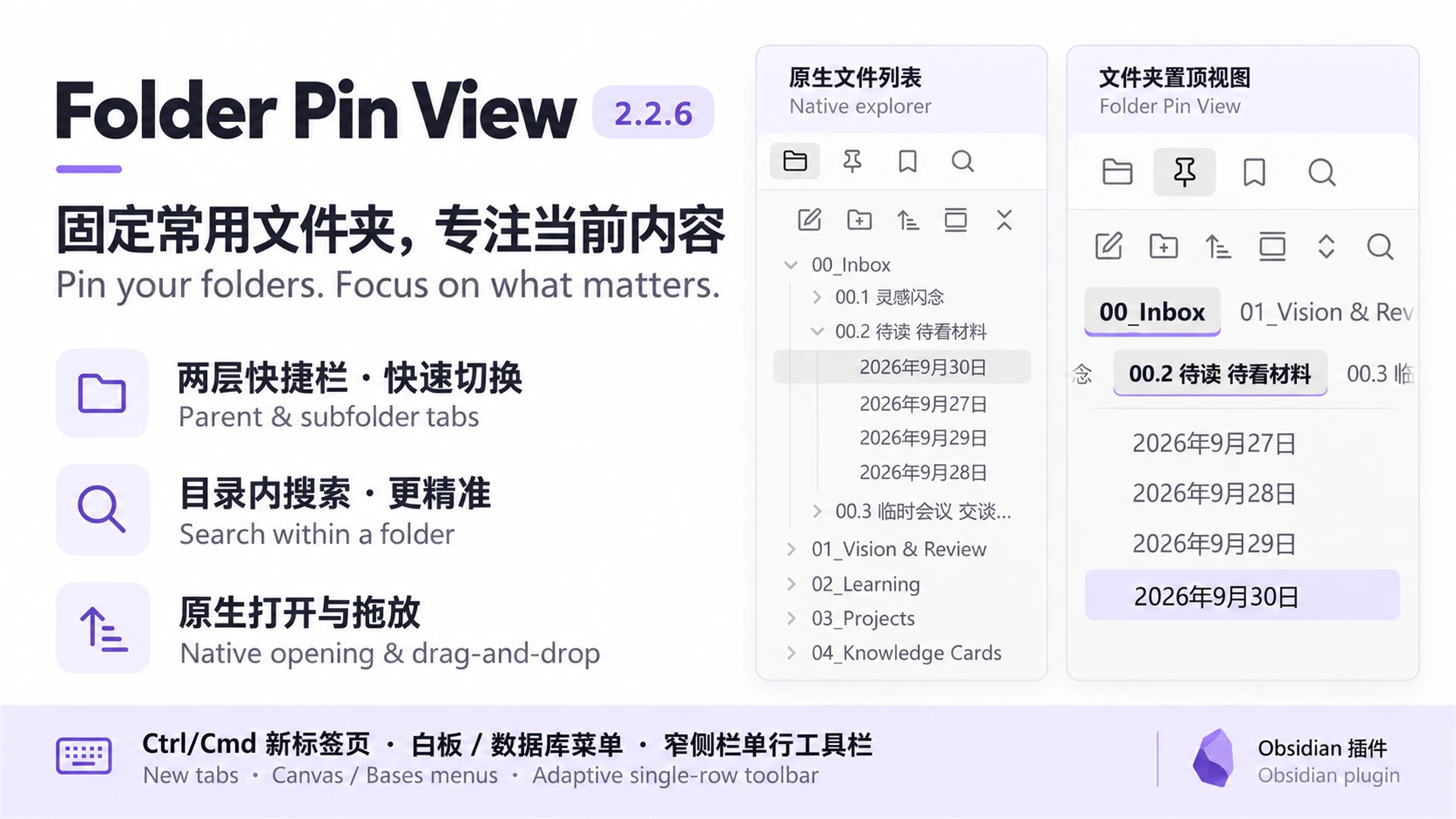
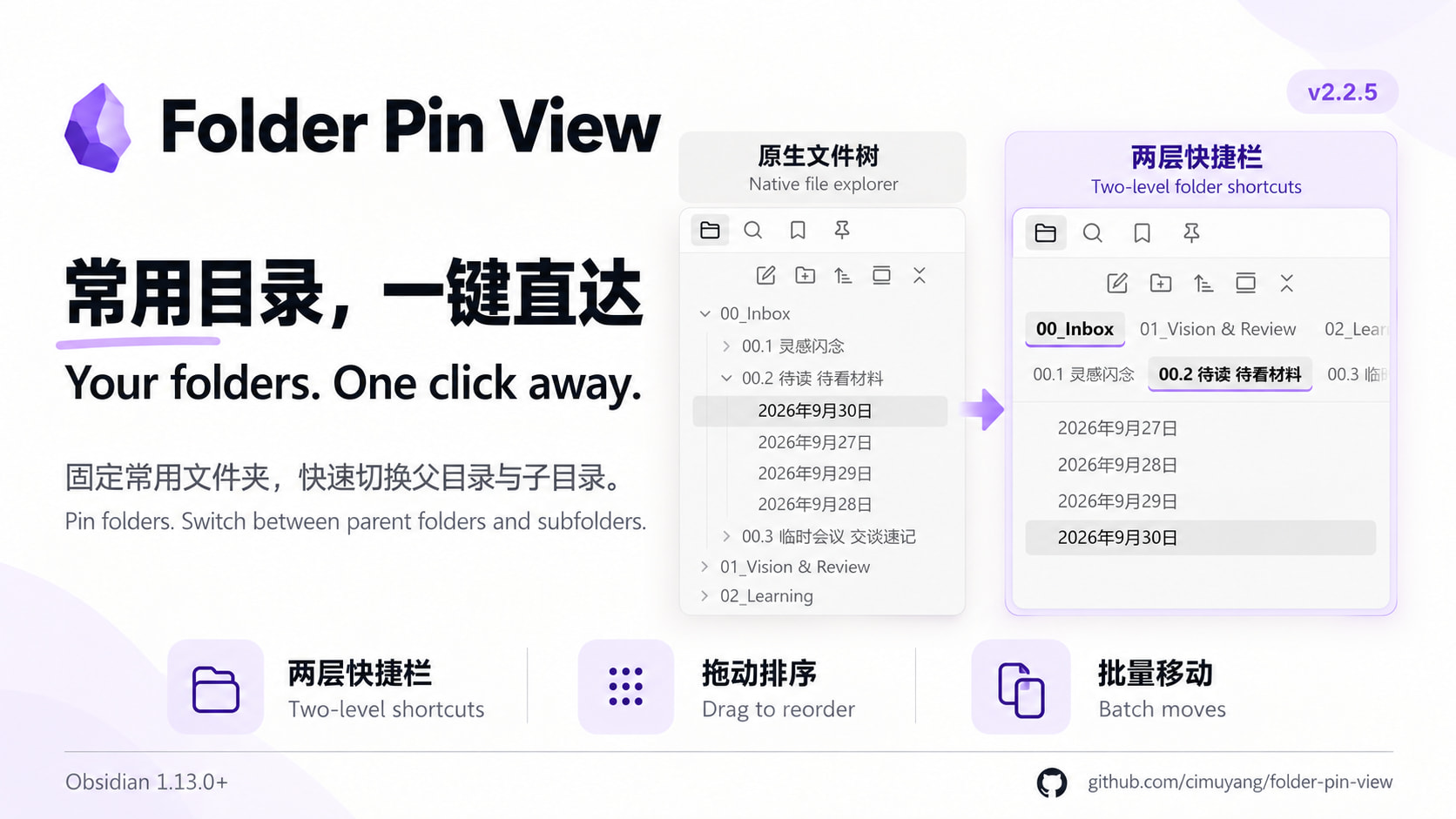
将常用文件夹固定为侧栏标签,快速切换父目录与子目录,专注当前文件区。
Pin frequently used folders as sidebar tabs and switch between parent folders and subfolders with one click.
功能 / Features
-
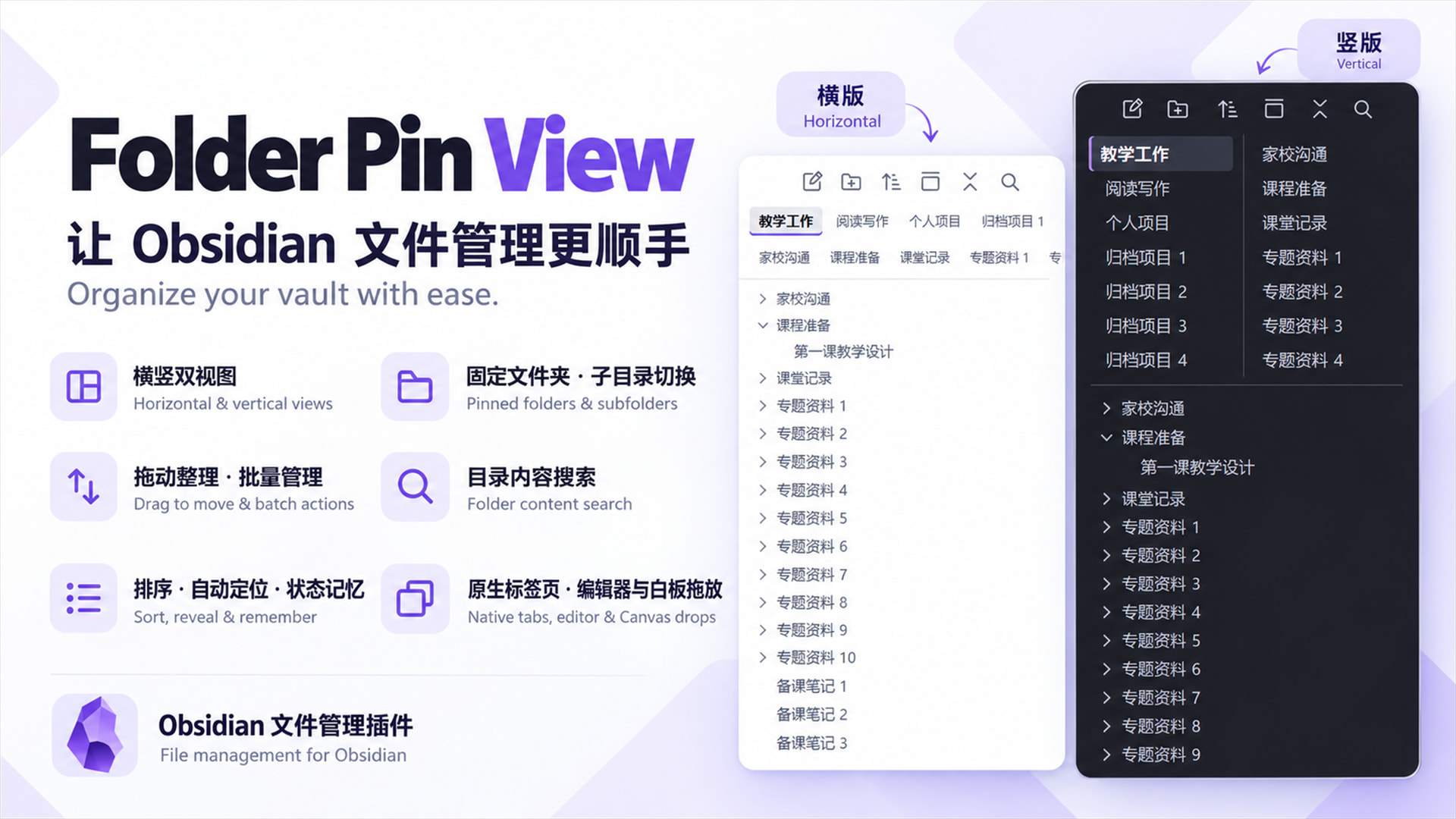
两层快捷栏 第一排显示父目录完整内容,第二排切换到直接子文件夹;第二排默认开启,可在设置中关闭。
-
自由排序 两排标签均可拖动排序,子文件夹顺序按父目录分别保存。
-
文件管理 新建、重命名、删除、批量移动;支持 Ctrl/Cmd 多选、Shift 连选和拖动移动。
-
浏览体验 六种文件排序、键盘导航、可选自动定位,以及各目录独立的展开和滚动记忆。
-
界面与同步 中英双语、深浅主题适配,文件夹改名、移动或删除后自动更新。
-
Two shortcut rows: Parent tabs show the full folder contents; child tabs open direct subfolders. The second row is enabled by default and can be disabled in settings.
-
Custom tab order: Drag either row to reorder tabs. Subfolder order is saved separately for each parent.
-
File management: Create, rename, delete and move items in batches. Supports Ctrl/Cmd toggling, Shift range selection and drag-to-move.
-
Navigation: Six file sort modes, keyboard navigation, optional auto-reveal, and separate expansion and scroll state for each folder.
-
Interface and sync: Chinese and English, light and dark themes, and automatic updates when folders are renamed, moved or deleted.
安装 / Installation
- obsidian官方插件市场,搜索【Folder Pin View】
- github仓库 GitHub - cimuyang/folder-pin-view: An Obsidian plugin that pins your frequently used folders as top buttons in the sidebar. Click one, and the sidebar will only show that folder's contents, saying goodbye to the clutter of the full vault file tree. 一个 Obsidian 插件,将常用文件夹固定为侧边栏顶部按钮,点击后侧边栏只展示该文件夹的内容,告别全库文件树的干扰。 · GitHub
- Search for [Folder Pin View] in the official Obsidian plugin marketplace.
- GitHub repository: GitHub - cimuyang/folder-pin-view: An Obsidian plugin that pins your frequently used folders as top buttons in the sidebar. Click one, and the sidebar will only show that folder's contents, saying goodbye to the clutter of the full vault file tree. 一个 Obsidian 插件,将常用文件夹固定为侧边栏顶部按钮,点击后侧边栏只展示该文件夹的内容,告别全库文件树的干扰。 · GitHub