沐沫沫
1
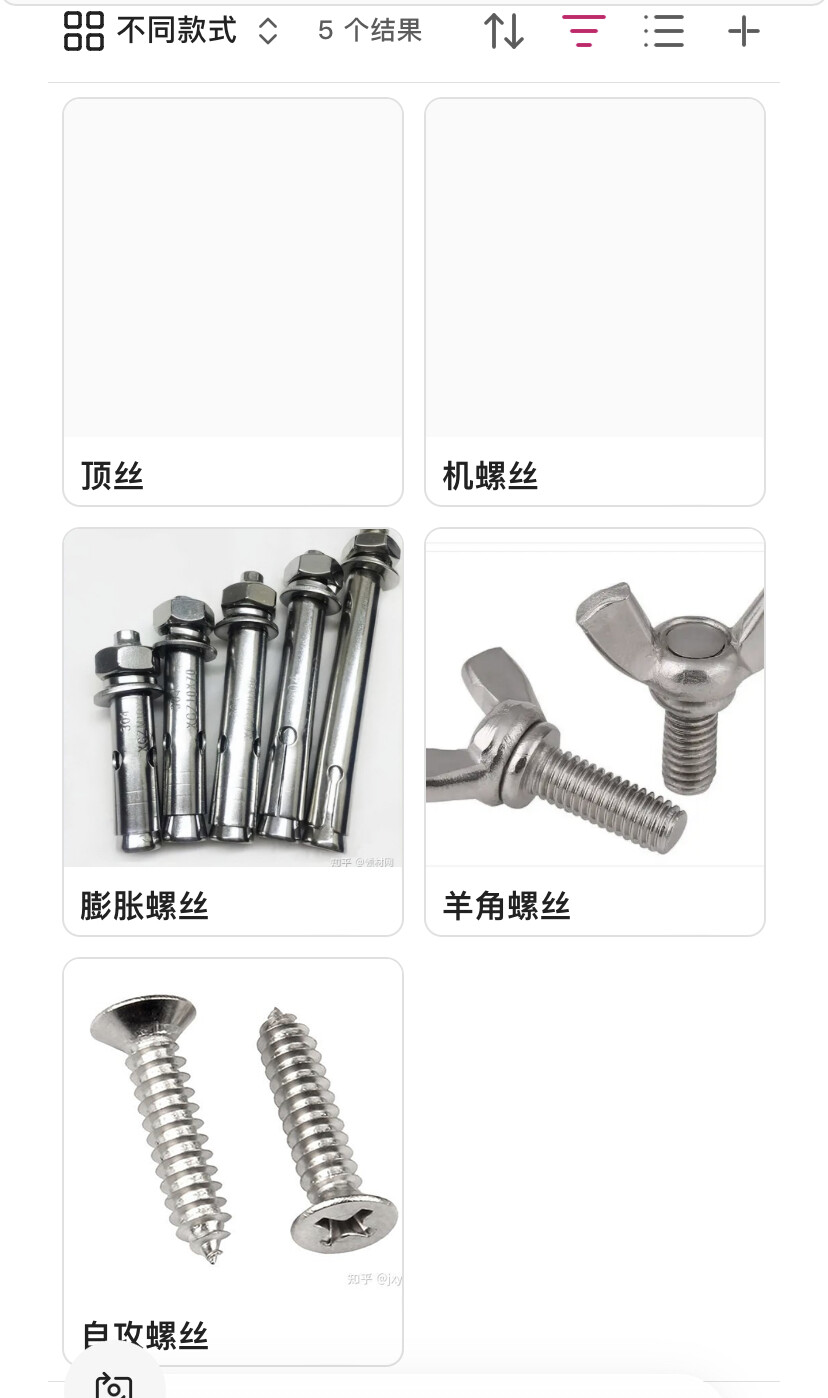
我在笔记中添加属性up,值填上一级文件,比如自攻螺丝的:
然后在它的上级文件螺丝中用base筛选
up.contains(this.file)
就能列出所有值指向了本文件的
但是总是报错
我的目的是
- 通过base表快速查看当前子类
- 子类点击up的值快速回到上一级
- 通过base表快速新建没有的类
尝试up.contains(“[[”+ this.file.basename+ “]]”)临时可以达到 上述3效果,但是文件挪位置时,up值可能自动更新添加…,有写文件还会写它们的别名,然后列出来的子类就不全了
up.hasLink(this.file)完全不能用
现在只有up.contains(this.file)*(PS.up属性值类型必须设为列表)*这个能达到想要功能,但提示太频繁了,写个字都要弹一下提示
螺丝的反链是自攻螺丝,那展示螺丝的所有反链就可以了?
Probe
(Probe)
3
这个在 Frontmatter 里指定上游文档的办法, 听过但不太熟悉, 试了下
```base
filters: up.contains(this.file)
views:
  - type: table
    name: 表格
  - type: cards
    name: 卡片
```
很顺利, 没看到相同报错提示啊, 我几个做法都跟楼主一致:
up: 属性必须使用列表- base 里筛选
up.contains(this.file)
但我这里只是测试, 笔记状况简单
查文档 bases Functions 函数 .contains 同时存在俩用法:
string.contains(value: string): booleanlist.contains(value: any): boolean
- 注意这里允许任意类型
value: any, 它是可以识别 this.file 的
目前个人觉得, 有可能是楼主笔记里 up 属性同时存在列表和字符串, “筛选器评估” 时给按照 string.contains() 类型处理了
建议看看侧栏的笔记属性总列表, 检查 up 目前被识别成啥类型, 这有可能得强制指定为列表才行, 大规模调整前别忘备份
– 刚试了下, 如果笔记里同时存在 列表型/字符串型的 up: , 就会报一样的错误, 全改成列表再重启, 则不报错了
沐沫沫
4
谢谢!果然是这个:
之前笔记填了10+个up属性名,但值没填,是空的,但会让up:后面带个空格
最新正式使用up,把它格式从文本变为了列表,没有值的没自动删除空格
沐沫沫
5
非常推荐大家用up组织文件结构,现在有bases了,填up方便灵活多了,以前我就是填up值放弃的
补充一下我用的代码:
```base
filters:
  and:
    - up.contains(this.file)
formulas:
  封面: image(if(cover,cover,file.embeds.filter(value.containsAny("png","jpg","webp","svg","jpeg"))[0]))
views:
  - type: cards
    name: up为本笔记的
    image: formula.封面
  - type: table
    name: 同文件夹内文件
    filters:
      and:
        - and:
            - file.path.contains(this.file.folder)
            - '!(file.ext == "png" || file.ext == "jpg" || file.ext == "jpeg" || file.ext == "jpe" || file.ext == "jfif" || file.ext == "jif" || file.ext == "gif" || file.ext == "webp" || file.ext == "bmp" || file.ext == "dib" || file.ext == "tiff" || file.ext == "tif" || file.ext == "svg" || file.ext == "svgz" || file.ext == "ico" || file.ext == "cur" || file.ext == "heic" || file.ext == "heif" || file.ext == "avif" || file.ext == "raw" || file.ext == "cr2" || file.ext == "pdf" || file.ext == "nef" || file.ext == "arw" || file.ext == "dng" || file.ext == "orf" || file.ext == "psd" || file.ext == "ai" || file.ext == "eps")'
            - file.fullname != this.file.fullname
            - file.ext == "md"
    image: formula.封面
  - type: table
    name: 本文件夹还没填up的-表格
    filters:
      and:
        - and:
            - file.path.contains(this.file.folder)
            - '!(file.ext == "png" || file.ext == "jpg" || file.ext == "jpeg" || file.ext == "jpe" || file.ext == "jfif" || file.ext == "jif" || file.ext == "gif" || file.ext == "webp" || file.ext == "bmp" || file.ext == "dib" || file.ext == "tiff" || file.ext == "tif" || file.ext == "svg" || file.ext == "svgz" || file.ext == "ico" || file.ext == "cur" || file.ext == "heic" || file.ext == "heif" || file.ext == "avif" || file.ext == "raw" || file.ext == "cr2" || file.ext == "cr3" || file.ext == "nef" || file.ext == "arw" || file.ext == "dng" || file.ext == "orf" || file.ext == "psd" || file.ext == "ai" || file.ext == "eps")'
            - not:
                - up.contains(this.file)
    order:
      - file.name
      - file.folder
    sort: []
    image: formula.封面
  - type: cards
    name: 本文件夹还没填up的
    filters:
      and:
        - and:
            - file.path.contains(this.file.folder)
            - '!(file.ext == "png" || file.ext == "jpg" || file.ext == "jpeg" || file.ext == "jpe" || file.ext == "jfif" || file.ext == "jif" || file.ext == "gif" || file.ext == "webp" || file.ext == "bmp" || file.ext == "dib" || file.ext == "tiff" || file.ext == "tif" || file.ext == "svg" || file.ext == "svgz" || file.ext == "ico" || file.ext == "cur" || file.ext == "heic" || file.ext == "heif" || file.ext == "avif" || file.ext == "raw" || file.ext == "cr2" || file.ext == "cr3" || file.ext == "nef" || file.ext == "arw" || file.ext == "dng" || file.ext == "orf" || file.ext == "psd" || file.ext == "ai" || file.ext == "eps")'
            - not:
                - up.contains(this.file)
    image: formula.封面


```
另外,我用linter自动规范up值,免得手动填up值时,指向同一文件的出现多个值(为最短链接而不是相对链接):
手填时,在属性值中先输入[[和在笔记正文中一样,可以出现库中所有笔记;直接文件名,可以出现曾经填过的其他值
找ai改了几个小时都不能浓缩为1句,但这些分散的我今天用了几十个文件了都没问题
替换后:
$1[[$4|$4]]"
替换前:
^(up:\s*\r?\n\s*-\s*")(!?)\[\[(?!.*\|)((?:\.\.\/)*(?:[^\]]*\/)*([^\]|]+))\]\]"

^(up:\s*(?:\r?\n\s*-[^\n]*){1}\r?\n\s*-\s*")(!?)\[\[(?!.*\|)((?:\.\.\/)*(?:[^\]]*\/)*([^\]|]+))\]\]"

^(up:\s*(?:\r?\n\s*-[^\n]*){2}\r?\n\s*-\s*")(!?)\[\[(?!.*\|)((?:\.\.\/)*(?:[^\]]*\/)*([^\]|]+))\]\]"

^(up:\s*(?:\r?\n\s*-[^\n]*){3}\r?\n\s*-\s*")(!?)\[\[(?!.*\|)((?:\.\.\/)*(?:[^\]]*\/)*([^\]|]+))\]\]"
{
      "label": "up值1为最简双链+别名",
      "find": "^(up:\\s*\\r?\\n\\s*-\\s*\")(!?)\\[\\[(?!.*\\|)((?:\\.\\.\\/)*(?:[^\\]]*\\/)*([^\\]|]+))\\]\\]\"",
      "replace": "$1[[$4|$4]]\"",
      "flags": "gm",
      "enabled": true
    },
    {
      "label": "up值2为最简双链+别名",
      "find": "^(up:\\s*(?:\\r?\\n\\s*-[^\\n]*){1}\\r?\\n\\s*-\\s*\")(!?)\\[\\[(?!.*\\|)((?:\\.\\.\\/)*(?:[^\\]]*\\/)*([^\\]|]+))\\]\\]\"",
      "replace": "$1[[$4|$4]]\"",
      "flags": "gm",
      "enabled": true
    },
    {
      "label": "up值3为最简双链+别名",
      "find": "^(up:\\s*(?:\\r?\\n\\s*-[^\\n]*){2}\\r?\\n\\s*-\\s*\")(!?)\\[\\[(?!.*\\|)((?:\\.\\.\\/)*(?:[^\\]]*\\/)*([^\\]|]+))\\]\\]\"",
      "replace": "$1[[$4|$4]]\"",
      "flags": "gm",
      "enabled": true
    },
    {
      "label": "up值4为最简双链+别名",
      "find": "^(up:\\s*(?:\\r?\\n\\s*-[^\\n]*){3}\\r?\\n\\s*-\\s*\")(!?)\\[\\[(?!.*\\|)((?:\\.\\.\\/)*(?:[^\\]]*\\/)*([^\\]|]+))\\]\\]\"",
      "replace": "$1[[$4|$4]]\"",
      "flags": "gm",
      "enabled": true
    }
1 个赞
Probe
(Probe)
6
感谢楼主分享用法~ 昨天觉得跟以往 dataview 类似做法相比, 这个 bases 查看和编辑文档属性几乎可以不离开汇总页面, 新建同类文档也方便, 操作确实顺溜儿
当然我这还没重度使用过, 对好处和缺点理解不多
这个 Linter 规范问题, AI 生成就是这样的, 会过度防御写冗长代码, 个人是觉得实际管用了就行, 整体好理解比局部精炼要重要, 只要能用, 填成四句也挺好的, 实在不行等收集到更具体需求了, 再让 AI 梳理优化