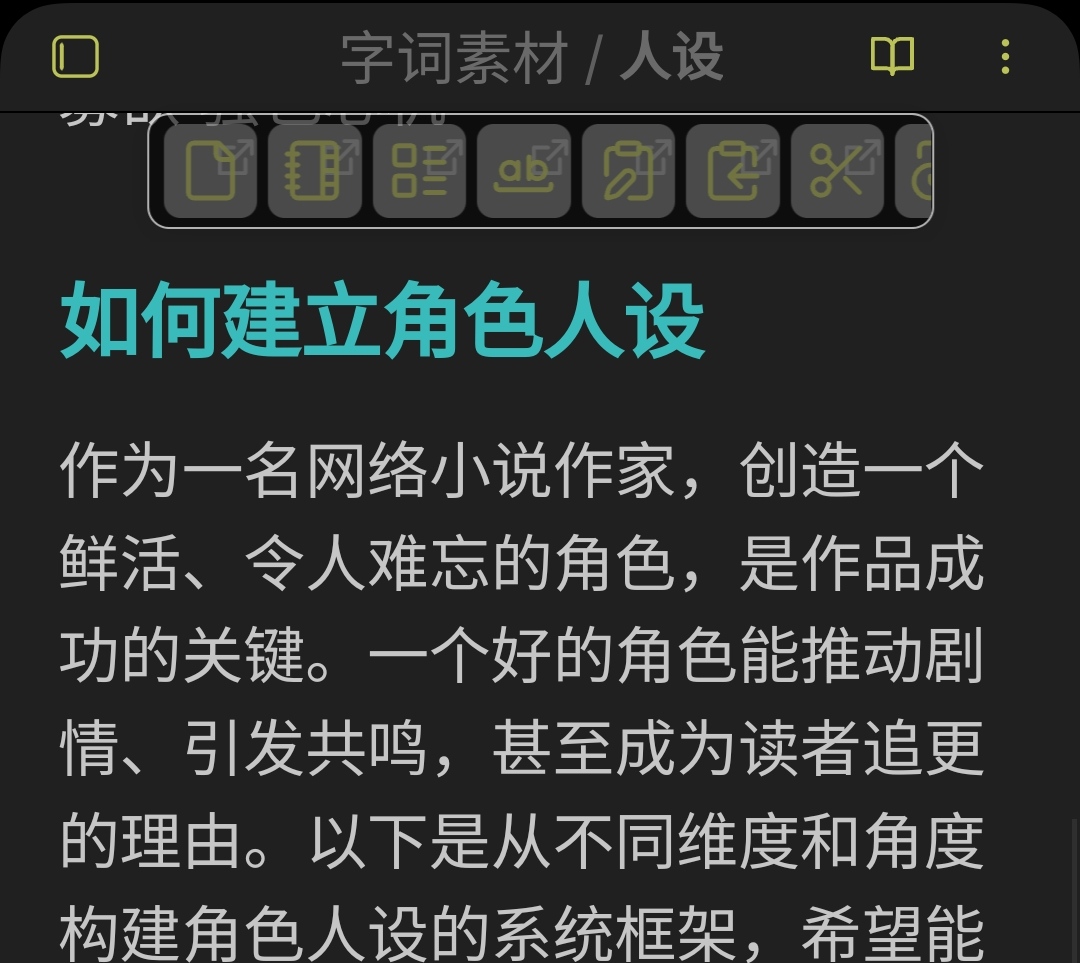
因为经常需要复制某些文件对应标题的内容,所以使用dvjs脚本增强引用内部链接,效果如图
原文
使用脚本引用链接后
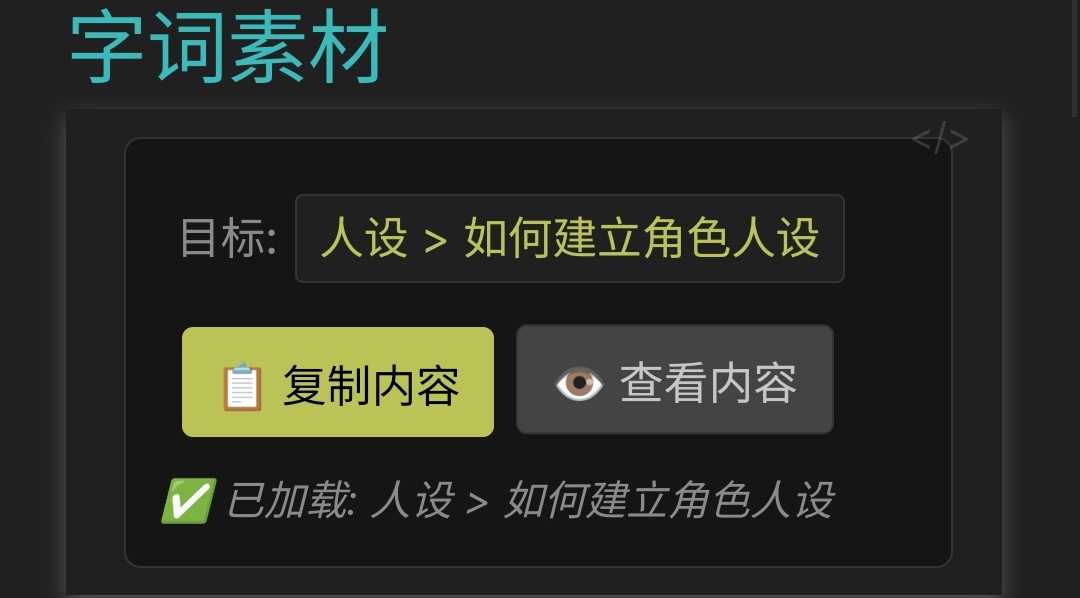
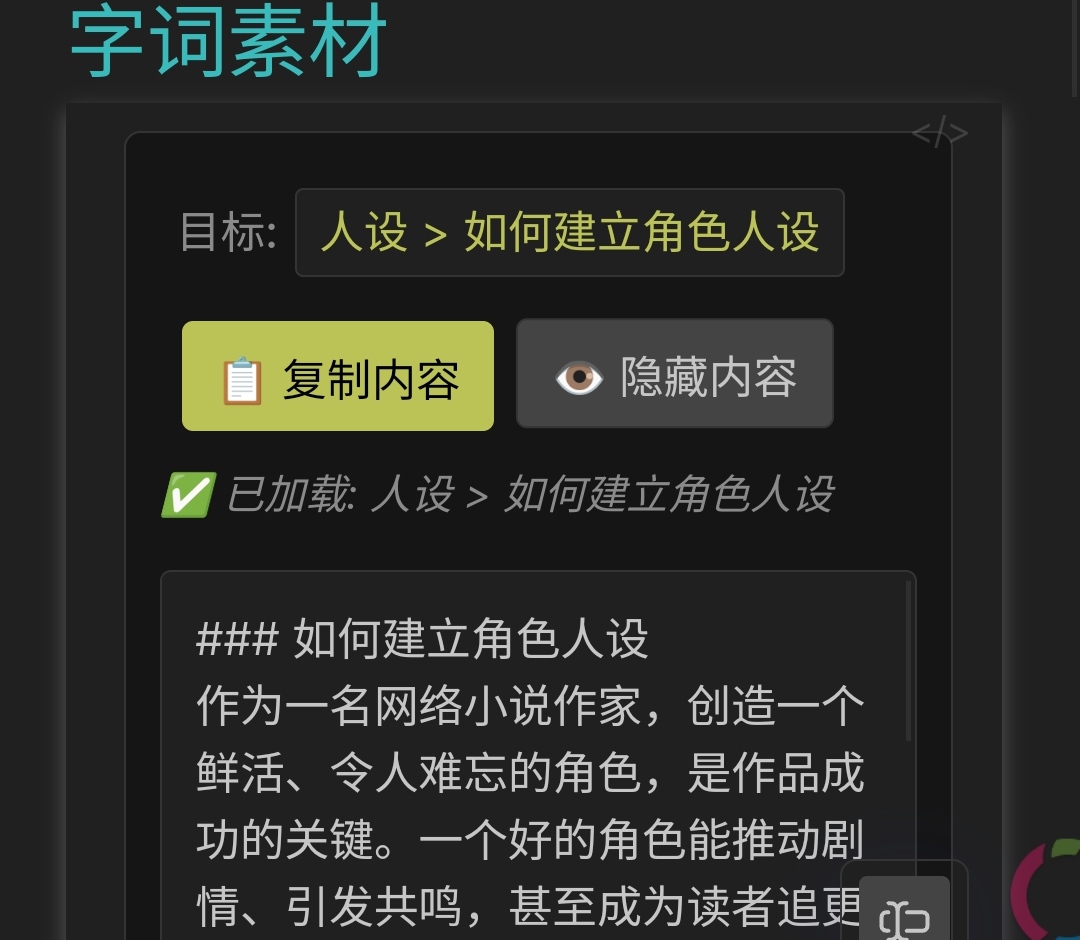
多了一键复制和预览,方便提取对应标题下的内容
已经制作成脚本文件
引用方式如下
```dataviewjs

dv.view("dataviewjs模块/跳转和复制节点内容",{内部链接: '人设#如何建立角色人设'})
%```
脚本文件内容如下
// 使用Dataview JS获取特定笔记内容并添加复制按钮
const { vault, metadataCache, workspace } = this.app;
const targetNote = input["内部链接"] //"人设#如何建立角色人设";

// 解析笔记名称和标题
const [noteName, heading] = targetNote.split("#");
const linkText = heading ? `${noteName} > ${heading}` : noteName;

// 创建主容器
const container = dv.el("div", "");
container.style.cssText = `
  display: flex;
  flex-direction: column;
  gap: 8px;
  margin: 10px 0;
  padding: 12px;
  background-color: var(--background-secondary);
  border-radius: 6px;
  border: 1px solid var(--background-modifier-border);
`;

// 创建目标链接行
const linkRow = dv.el("div", "");
linkRow.style.cssText = `
  display: flex;
  align-items: center;
  gap: 6px;
  font-size: 13px;
  margin-bottom: 4px;
`;

// 创建目标链接标签
const linkLabel = dv.el("span", "目标: ");
linkLabel.style.cssText = `
  color: var(--text-muted);
  font-weight: 500;
`;

// 创建目标链接
const targetLink = dv.el("span", linkText);
targetLink.style.cssText = `
  color: var(--text-accent);
  cursor: pointer;
  font-size: 13px;
  padding: 3px 8px;
  border-radius: 3px;
  background-color: var(--background-primary);
  border: 1px solid var(--background-modifier-border);
  transition: all 0.2s;
  white-space: nowrap;
  overflow: hidden;
  text-overflow: ellipsis;
  max-width: 300px;
  text-decoration: none;
`;
targetLink.addEventListener("mouseenter", () => {
  targetLink.style.backgroundColor = "var(--background-primary-alt)";
  targetLink.style.borderColor = "var(--interactive-accent)";
  targetLink.style.textDecoration = "underline";
});
targetLink.addEventListener("mouseleave", () => {
  targetLink.style.backgroundColor = "var(--background-primary)";
  targetLink.style.borderColor = "var(--background-modifier-border)";
  targetLink.style.textDecoration = "none";
});

// 创建按钮行
const buttonRow = dv.el("div", "");
buttonRow.style.cssText = `
  display: flex;
  align-items: center;
  gap: 8px;
  margin-top: 4px;
`;

// 创建复制按钮
const copyButton = dv.el("button", "📋 复制内容");
copyButton.style.cssText = `
  padding: 6px 12px;
  background-color: var(--interactive-accent);
  color: var(--text-on-accent);
  border: none;
  border-radius: 4px;
  cursor: pointer;
  font-size: 13px;
  font-weight: 500;
  transition: all 0.2s;
  white-space: nowrap;
`;
copyButton.addEventListener("mouseenter", () => {
  copyButton.style.backgroundColor = "var(--interactive-accent-hover)";
  copyButton.style.transform = "translateY(-1px)";
});
copyButton.addEventListener("mouseleave", () => {
  copyButton.style.backgroundColor = "var(--interactive-accent)";
  copyButton.style.transform = "translateY(0)";
});

// 创建查看/隐藏切换按钮
const toggleBtn = dv.el("button", "👁️ 查看内容");
toggleBtn.style.cssText = `
  padding: 6px 12px;
  background-color: var(--background-primary);
  color: var(--text-normal);
  border: 1px solid var(--background-modifier-border);
  border-radius: 4px;
  cursor: pointer;
  font-size: 13px;
  transition: all 0.2s;
  white-space: nowrap;
`;
toggleBtn.addEventListener("mouseenter", () => {
  toggleBtn.style.backgroundColor = "var(--background-primary-alt)";
  toggleBtn.style.transform = "translateY(-1px)";
});
toggleBtn.addEventListener("mouseleave", () => {
  toggleBtn.style.backgroundColor = "var(--background-primary)";
  toggleBtn.style.transform = "translateY(0)";
});

// 创建状态消息元素
const status = dv.el("div", "");
status.style.cssText = `
  font-size: 12px;
  color: var(--text-muted);
  min-height: 20px;
  font-style: italic;
  margin-top: 4px;
`;

// 创建内容预览容器
const preview = dv.el("div", "");
preview.style.cssText = `
  max-height: 300px;
  overflow-y: auto;
  padding: 12px;
  background-color: var(--background-primary);
  border-radius: 4px;
  border: 1px solid var(--background-modifier-border);
  font-size: 13px;
  white-space: pre-wrap;
  display: none;
  margin-top: 8px;
  line-height: 1.5;
`;

// 变量缓存获取的内容
let cachedContent = null;

// 获取内容的函数
async function fetchContent() {
  try {
    // 查找笔记文件
    const targetFile = metadataCache.getFirstLinkpathDest(noteName, "");

    if (!targetFile) {
      status.textContent = `❌ 找不到笔记: ${noteName}`;
      status.style.color = "var(--text-error)";
      return null;
    }

    // 读取笔记内容
    const content = await vault.read(targetFile);
    let resultContent = "";

    if (heading) {
      // 如果指定了标题,提取该标题下的内容
      const lines = content.split("\n");
      let inTargetSection = false;
      let resultLines = [];
      let currentHeadingLevel = 0;

      for (let line of lines) {
        // 检查是否为标题行
        const headingMatch = line.match(/^(#+)\s+(.+)$/);

        if (headingMatch) {
          const headingLevel = headingMatch[1].length;
          const headingText = headingMatch[2].trim();

          if (headingText === heading) {
            // 找到目标标题
            inTargetSection = true;
            currentHeadingLevel = headingLevel;
            resultLines.push(line);
          } else if (inTargetSection && headingLevel <= currentHeadingLevel) {
            // 遇到同级或更高级标题,停止收集
            break;
          } else if (inTargetSection) {
            // 子标题,继续收集
            resultLines.push(line);
          }
        } else if (inTargetSection) {
          // 收集目标标题下的内容
          resultLines.push(line);
        }
      }

      if (resultLines.length > 0) {
        resultContent = resultLines.join("\n");
        status.textContent = `✅ 已找到: ${linkText}`;
      } else {
        status.textContent = `❌ 找不到标题: ${heading}`;
        status.style.color = "var(--text-error)";
        return null;
      }
    } else {
      // 返回整个笔记内容
      resultContent = content;
      status.textContent = `✅ 已获取笔记: ${noteName}`;
    }

    return resultContent;

  } catch (error) {
    console.error("获取内容失败:", error);
    status.textContent = "❌ 获取内容失败";
    status.style.color = "var(--text-error)";
    return null;
  }
}

// 跳转到目标笔记的函数
// 优化跳转函数,使用Obsidian原生方式打开链接
async function navigateToTarget() {
  try {
    // 使用Obsidian原生方式构建链接
    const link = heading ? `${noteName}#${heading}` : noteName;

    // 使用Obsidian的openLinkText方法,这是最原生的打开方式
    const result = await app.workspace.openLinkText(link, '', 'tab');

  } catch (error) {
    console.error("跳转失败:", error);

  }
}

// 主函数:复制内容
async function copyContent() {
  try {
    status.textContent = "正在获取内容...";
    status.style.color = "var(--text-muted)";

    // 获取内容
    if (!cachedContent) {
      cachedContent = await fetchContent();
    }

    if (!cachedContent) {
      return;
    }

    // 复制到剪贴板
    await navigator.clipboard.writeText(cachedContent);

    // 成功提示
    new Notice("✅ 内容已复制到剪贴板!", 3000);
    status.textContent += " (已复制到剪贴板)";
    status.style.color = "var(--text-success)";

  } catch (error) {
    console.error("复制失败:", error);
    status.textContent = "❌ 复制失败,请重试";
    status.style.color = "var(--text-error)";
    new Notice("❌ 复制失败,请检查控制台", 3000);
  }
}

// 查看/隐藏切换按钮事件
toggleBtn.addEventListener("click", async () => {
  if (preview.style.display === "none") {
    status.textContent = "正在获取内容...";
    status.style.color = "var(--text-muted)";

    // 获取内容
    if (!cachedContent) {
      cachedContent = await fetchContent();
    }

    if (cachedContent) {
      preview.textContent = cachedContent;
      preview.style.display = "block";
      toggleBtn.textContent = "👁️ 隐藏内容";
      status.textContent = `✅ 已加载: ${linkText}`;
      status.style.color = "var(--text-muted)";
    }
  } else {
    preview.style.display = "none";
    toggleBtn.textContent = "👁️ 查看内容";
  }
});

// 绑定点击事件
copyButton.addEventListener("click", copyContent);
targetLink.addEventListener("click", navigateToTarget);

// 添加到容器
linkRow.appendChild(linkLabel);
linkRow.appendChild(targetLink);
buttonRow.appendChild(copyButton);
buttonRow.appendChild(toggleBtn);
container.appendChild(linkRow);
container.appendChild(buttonRow);
container.appendChild(status);
container.appendChild(preview);

// 渲染到页面
dv.container.appendChild(container);