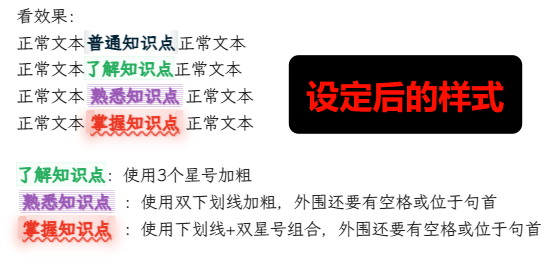
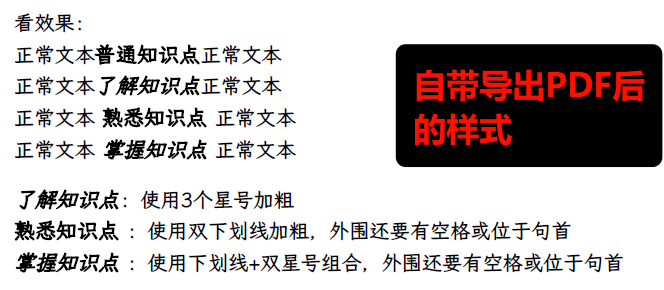
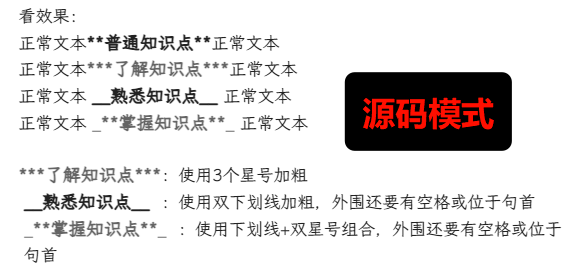
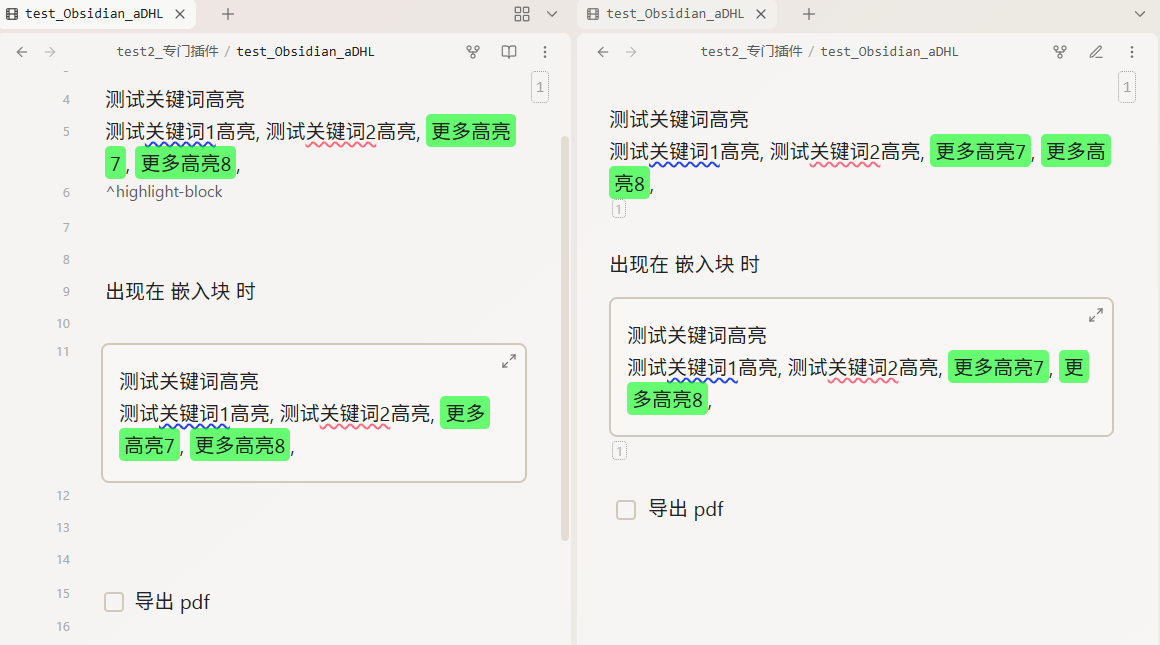
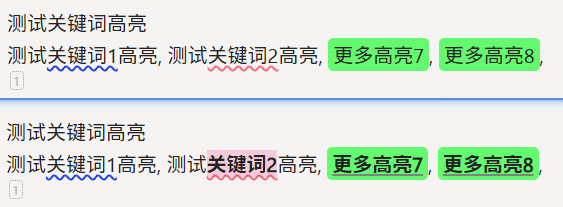
问了一晚上ai,曲线救国了(就是你的思路)。针对我目前想要打印的内容,我改了正文中的标记符号+只用插件锁定 掌握知识点
**普通知识点**        -> 保持不变
***了解知识点***      -> 保持不变
 ==熟悉知识点==     -> 改为双等号高亮
 _**掌握知识点**_       -> 保持不变
/* ============================================
   知识点样式
   只为 _**掌握知识点**_ 添加类名
   ============================================ */

/* 1. 普通知识点 - **普通知识点** (编辑模式) */
.cm-s-obsidian span.cm-strong:not(.cm-em):not(.cm-formatting) {
    color: #022236 !important;
    background: linear-gradient(
        to right,
        rgba(2, 34, 54, 0.1),
        transparent 10px,
        transparent calc(100% - 10px),
        rgba(2, 34, 54, 0.1) 100%
    ) !important;
    padding: 0 2px !important;
    border-radius: 2px !important;
}

/* 2. 了解知识点 - ***了解知识点*** (编辑模式) */
.cm-s-obsidian span.cm-em.cm-strong:not(.掌握知识点):not(.cm-formatting) {
    color: #27ae60 !important;
    font-style: normal !important;
    border: 0px solid rgba(39, 174, 96, 0.1) !important;
    background-color: rgba(150, 245, 190, 0.08) !important;
    box-shadow: 0 0 2px rgba(39, 174, 96, 0.2) inset !important;
}

/* 3. 熟悉知识点 - ==熟悉知识点== (编辑模式) */
.cm-s-obsidian span.cm-highlight:not(.cm-formatting) {
    font-weight: bold !important;
    color: #9b59b6 !important;
    text-shadow: 0.5px 0.5px 1px rgba(155, 89, 182, 0.5) !important;
    background: repeating-linear-gradient(
        to bottom,
        transparent,
        transparent 1px,
        rgba(155, 89, 182, 0.5) 1px,
        rgba(155, 89, 182, 0.1) 2px
    ) !important;
    padding: 0 0.2em !important;
    border-radius: 3px !important;
    margin: 0 -0.2em !important;
}

/* 4. 掌握知识点 - _**掌握知识点**_ (编辑模式)
   Dynamic Highlights会为这个添加 .掌握知识点 类 */
.cm-s-obsidian span.掌握知识点,
.cm-s-obsidian .cm-em.cm-strong.掌握知识点 {
    color: #eb3723 !important;
    font-style: normal !important;
    font-weight: 700 !important;
    text-decoration: underline wavy rgba(235, 55, 35, 0.7) !important;
    text-shadow: 0.6px 0.6px 1.5px rgba(235, 55, 35, 0.5) !important;
    background:
        radial-gradient(circle at center, rgba(235, 55, 35, 0.1) 0%, rgba(235, 55, 35, 0.15) 70%, transparent 100%) !important;
    background-size: 100% 150% !important;
    background-repeat: no-repeat !important;
    background-position: center 80% !important;
    padding: 0.05em 0.25em !important;
    margin: 0 -0.25em !important;
    border-radius: 3px !important;
    box-shadow: 0 4px 12px rgba(235, 55, 35, 0.15) !important;
    transition: all 0.3s ease !important;
}

/* ========== 阅读模式下的样式 ========== */

/* 1. 普通知识点 - **普通知识点** (阅读模式) */
.markdown-preview-view strong:not(em strong):not(strong em) {
    color: #022236 !important;
    background: linear-gradient(
        to right,
        rgba(2, 34, 54, 0.1),
        transparent 10px,
        transparent calc(100% - 10px),
        rgba(2, 34, 54, 0.1) 100%
    ) !important;
    padding: 0 2px !important;
    border-radius: 2px !important;
}

/* 2. 了解知识点 - ***了解知识点*** (阅读模式) */
.markdown-preview-view strong em {
    color: #27ae60 !important;
    font-style: normal !important;
    border: 0px solid rgba(39, 174, 96, 0.1) !important;
    background-color: rgba(150, 245, 190, 0.08) !important;
    box-shadow: 0 0 2px rgba(39, 174, 96, 0.2) inset !important;
}

/* 3. 熟悉知识点 - ==熟悉知识点== (阅读模式) */
.markdown-preview-view mark {
    font-weight: bold !important;
    color: #9b59b6 !important;
    text-shadow: 0.5px 0.5px 1px rgba(155, 89, 182, 0.5) !important;
    background: repeating-linear-gradient(
        to bottom,
        transparent,
        transparent 1px,
        rgba(155, 89, 182, 0.5) 1px,
        rgba(155, 89, 182, 0.1) 2px
    ) !important;
    padding: 0 0.2em !important;
    border-radius: 3px !important;
    margin: 0 -0.2em !important;
}

/* 4. 掌握知识点 - _**掌握知识点**_ (阅读模式)
   注意:Dynamic Highlights可能不会在阅读模式下添加类名 */
.markdown-preview-view em strong {
    color: #eb3723 !important;
    font-style: normal !important;
    font-weight: 700 !important;
    text-decoration: underline wavy rgba(235, 55, 35, 0.7) !important;
    text-shadow: 0.6px 0.6px 1.5px rgba(235, 55, 35, 0.5) !important;
    background:
        radial-gradient(circle at center, rgba(235, 55, 35, 0.1) 0%, rgba(235, 55, 35, 0.15) 70%, transparent 100%) !important;
    background-size: 100% 150% !important;
    background-repeat: no-repeat !important;
    background-position: center 80% !important;
    padding: 0.05em 0.25em !important;
    margin: 0 -0.25em !important;
    border-radius: 3px !important;
    box-shadow: 0 4px 12px rgba(235, 55, 35, 0.15) !important;
    transition: all 0.3s ease !important;
}

/* 掌握知识点悬停效果(仅阅读模式) */
.markdown-preview-view em strong:hover {
    background:
        radial-gradient(circle at center, rgba(235, 55, 35, 0.15) 0%, rgba(235, 55, 35, 0.22) 70%, transparent 100%) !important;
    text-decoration-color: rgba(235, 55, 35, 0.8) !important;
    font-weight: 750 !important;
    color: #e52a1a !important;
    transform: translateY(-1px) scale(1.01) !important;
    box-shadow: 0 5px 14px rgba(235, 55, 35, 0.2) !important;
    border-radius: 3.5px !important;
    text-shadow: 0.7px 0.7px 1.5px rgba(235, 55, 35, 0.6) !important;
}
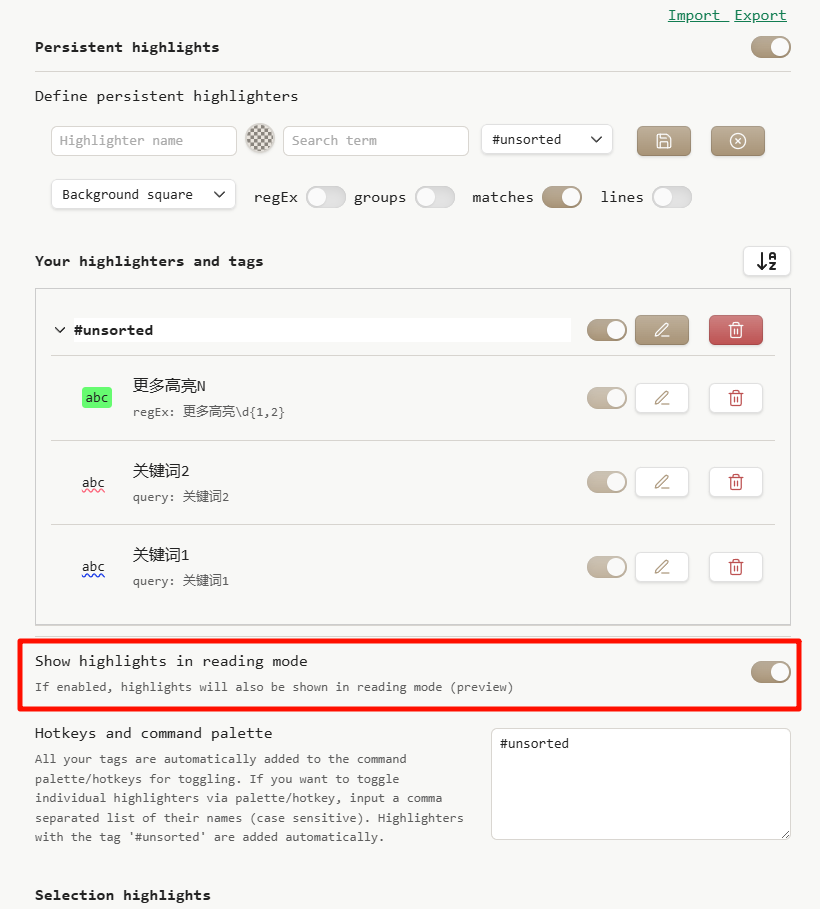
另外,找到个Dynamic Highlights的进阶版aDHL,可以对设定的规则进行分组开关,稍微方便些了(缺点:不能插件里直接写CSS片段了)